Start in the live controls menu
Use the Ground War controls shown in your current Roblox and in-game settings, not a key list copied from an old page. Bindings differ by platform and can change again when you enter a vehicle. Open the live menu before your first spawn, find the actions you need, and change only settings you can test right away.
Start by removing surprises. Before crossing an exposed lane, you should know how to move, aim, fire, reload, change equipment, interact, enter or leave a vehicle, and open the menu.
Controls and UI labels can change by platform or update. This page was prepared on September 10, 2026; the live menu is the authority for your device.
Build a safe first-match setup
Use this order before worrying about advanced movement:
- Confirm input mode. Make sure Roblox recognizes the keyboard and mouse, controller, or touch layout you intend to use.
- Read the complete binding list. Find movement, aim, fire, reload, weapon selection, interaction, stance or movement actions, and vehicle entry or exit if shown.
- Check sensitivity. You need enough control to track a target without dragging past it.
- Check audio. Footsteps and gunshots can warn you about close routes, so do not bury effects under other volume.
- Choose one ordinary infantry weapon. Learn one recoil pattern before switching repeatedly.
- Spawn near a simple route. Stay close to cover and teammates while testing actions.
- Reopen settings after one life. Fix the single setting that caused the largest problem instead of changing everything at once.
Keep the process simple: bind, test, notice, adjust. Large changes between every spawn make it hard to tell which adjustment helped.
Aim settings: favor repeatable control
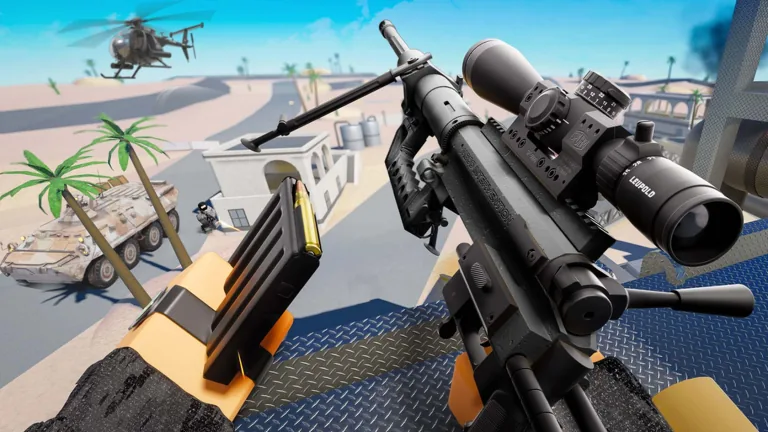
A good sensitivity has to cover two jobs. You need to turn toward a nearby threat, then make a small correction at range. If you can spin quickly but cannot hold a target, the setting is too fast for useful rifle control. If you can aim precisely but cannot check a close flank, it is too slow for the battlefield.
Use a simple test from a safe area or low-pressure spawn:
- Pick a fixed object at medium distance.
- Aim away from it, then return to its center several times.
- Track the edge of the object while moving sideways.
- Fire a short sequence and watch how far the weapon climbs or shifts.
- Make one small sensitivity adjustment and repeat.
Keep the change only if both the turn and the small correction improve. Do not copy another player’s number without accounting for your device, field of view, mouse space, stick response, or screen size.
Learn recoil and bullet behavior separately
Recoil and bullet drop create different misses. Recoil moves your aim during repeated fire. Bullet drop changes where a projectile lands over distance. Ground War guns can have different bullet drop, so one correction cannot be assumed to fit every weapon.
| Problem | What you see | Practice response |
|---|---|---|
| Recoil climb | Later shots rise or drift away from the target | Use shorter bursts and apply a steady correction |
| Range drop | A carefully aimed distant shot lands below the intended point | Test the same weapon against a fixed distant reference and adjust gradually |
| Overcorrection | Your sight crosses back and forth over the target | Reduce the size of each mouse or stick correction |
| Poor tracking | Your sight falls behind a moving target | Practice smooth sideways tracking before increasing sensitivity |
| Panic fire | You empty the magazine without a stable sight picture | Release fire, return to cover, reset aim, then re-engage |
Do not test both systems by spraying at a distant moving player. Start with a stable object, then a predictable lane, then a real target. That sequence tells you whether the miss came from control, distance, movement, or pressure.
Weapon handling before advanced movement
Your first match should establish four habits.
Aim from cover
Stand where a small movement can hide most of your character. Expose only the angle you intend to fight. If you cannot break sight quickly, you are testing survival more than aim.
Reload after reaching safety
The reload key matters less than reload timing. Move behind cover first. Listen while the animation runs, and be ready to cancel your plan if footsteps or a vehicle approach the route.
Match the weapon to the lane
The default AX-416 is described by the community-maintained reference as a starting assault rifle. Use an early general-purpose weapon to learn ordinary engagement distances. Do not interpret an unofficial ranking or an old price as a guarantee of current performance.
Check customization directly
Individual weapons level independently and unlock compatible attachments. Open the selected weapon’s customization screen to see what it supports. Attachment limits differ, so one progression list will not fit every gun.
Enter vehicles with an exit plan
Ground War includes armored vehicles and helicopters, and their live prompts matter because inputs vary by platform and role. Check the current prompt and controls menu before taking a driver or pilot role.
Before entering:
- identify which seat or role you are taking;
- find the current exit action;
- check the space around the vehicle;
- avoid boarding an overcrowded or visibly damaged vehicle;
- decide where you will dismount before the vehicle crosses open ground.
After entering, test one action at a time. For a ground vehicle, learn steering and braking in open space before approaching teammates or structures. For a helicopter, learn takeoff, gentle direction changes, and landing without turning a live match into a crowded experiment. Aircraft contact with structures can end badly, and standing in an overloaded helicopter is unsafe.
If a vehicle becomes damaged or trapped, leave enough distance for its explosion. A vehicle is not permanent cover.
A first-life control drill
Use one life to prove the basics rather than chasing the leaderboard:
- Move between two nearby pieces of cover.
- Aim down one controlled lane and track a stationary object.
- Fire a short burst, correct recoil, and release.
- Reload behind cover.
- Swap to another equipped item, then return to the main weapon.
- Listen for nearby movement before peeking again.
- If a safe vehicle is available, read its live interaction prompt without taking a critical role you cannot yet control.
- After death or a safe pause, adjust only the setting that caused a clear failure.
Once this sequence feels automatic, add movement complexity. Controls become useful when they support decisions; fast inputs cannot rescue a bad position.
Platform-specific checks
| Input type | Verify before spawning | First adjustment to test |
|---|---|---|
| Keyboard and mouse | Interaction, equipment selection, vehicle entry/exit, menu access | Aim sensitivity and enough mouse space for a controlled turn |
| Controller | Fire/aim actions, interaction, menu navigation, vehicle layout | Stick sensitivity and any live dead-zone option |
| Touch | Button visibility, overlap, reach, vehicle controls | Layout placement and camera sensitivity |
Do not assume an action has the same binding across infantry and vehicles. If the interface changes after entering a seat, pause in a safe location and read the displayed controls.
Common setup mistakes
- Copying exact binds from an older guide. Verify them in the current menu and live prompts.
- Changing sensitivity after every missed shot. Test several controlled repetitions before adjusting.
- Learning recoil at extreme range. Begin at a distance where the target shape is easy to read.
- Testing aircraft in a crowded spawn. Learn the live prompts and make small inputs away from teammates.
- Ignoring sound settings. Footsteps and gunfire help you identify threats outside the current view.
- Buying a weapon to fix aim. Handling practice and range choice come before an expensive arsenal change.
FAQ
What are the exact Ground War PC controls?
Open the current Roblox and in-game controls menu. Ground War uses a basic FPS pattern, but each platform has its own layout and bindings can change.
Can I use a controller or mobile device?
Check the current Roblox experience page and join menu for your device, then verify that every required action is available in the live layout before entering a match.
What sensitivity should I use?
Use the setting that lets you turn toward a close threat and still return precisely to a medium-range target. Test small adjustments rather than copying another player’s number.
Are helicopter controls the same as infantry controls?
Do not assume they are. Read the live vehicle prompts in a safe position and identify takeoff, movement, landing, and exit actions before committing to a flight.
Why does my aim work with one gun but not another?
Weapons can differ in recoil, bullet behavior, and attachment options. Test recoil and range with each weapon instead of applying one correction to the entire arsenal.